The AI receptionist that logs every call straight into CommTrak.
Yindi answers every inbound call 24/7, captures the fault or job, and creates the CommTrak ticket automatically — the moment the call ends. No voicemail, no missed jobs, no manual data entry.
We use it ourselves
Built by a telco that runs on CommTrak.
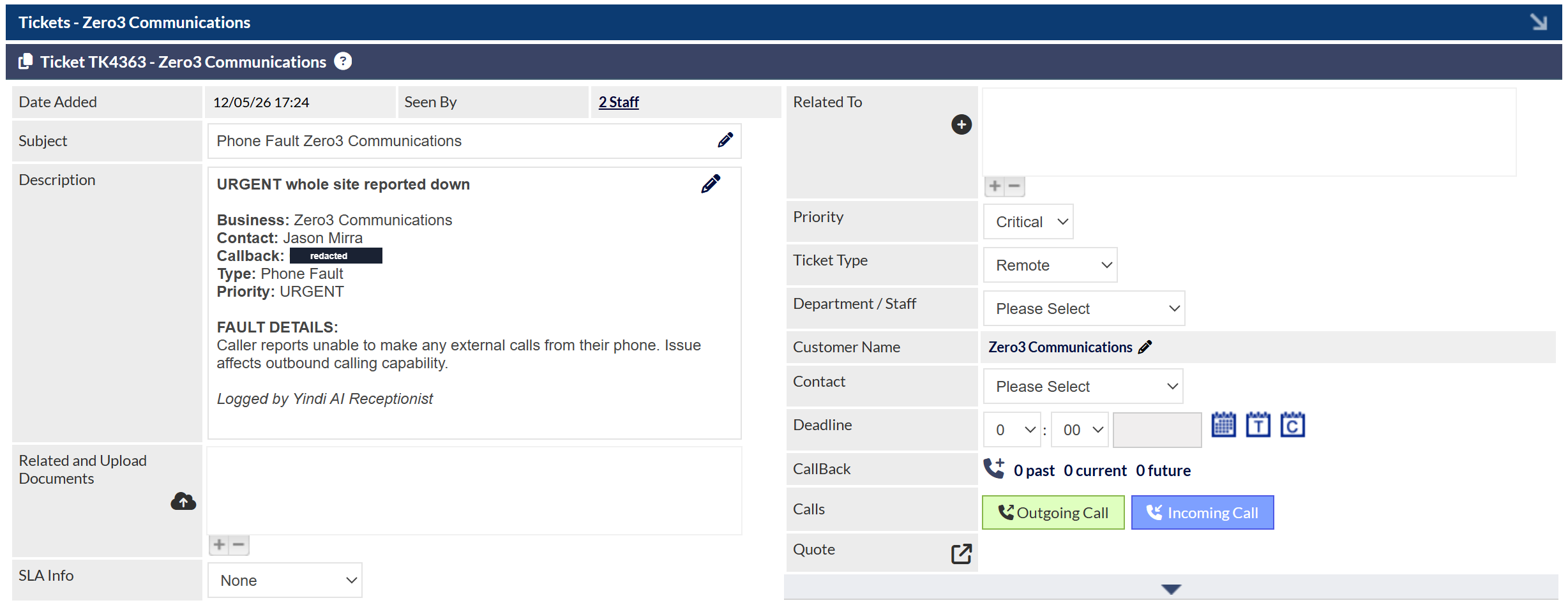
We run our own telecommunications business — Zero3 Communications — on CommTrak. Yindi was built to answer our own phones and log our own fault tickets, automatically. The screenshots below are real tickets from our live CommTrak, created by Yindi. We didn't build this for a demo; we built it because we needed it.
A message isn't a ticket.
Every other option leaves a job half-done. The fault still has to make it into CommTrak — and that's where things get lost.
Voicemail / answering service
- —Caller leaves a message — or hangs up
- —Someone listens and re-keys it later
- —Details get lost or mistyped
- —SLA clock starts late
Yindi + CommTrak
- Every call answered, 24/7
- Ticket created automatically in CommTrak
- Customer, job type & fault filled in
- SLA clock starts the moment the call ends
From ringing phone to logged ticket.
Answers the call
Picks up in under a second, 24/7, in a natural Australian voice.
Captures the fault
Gets the site, the issue and the urgency in plain conversation.
Matches the customer
Finds the right record in CommTrak and sets the job type.
Creates the ticket
A CommTrak ticket appears the moment the call ends — logged by Yindi.
Notifies + SMS
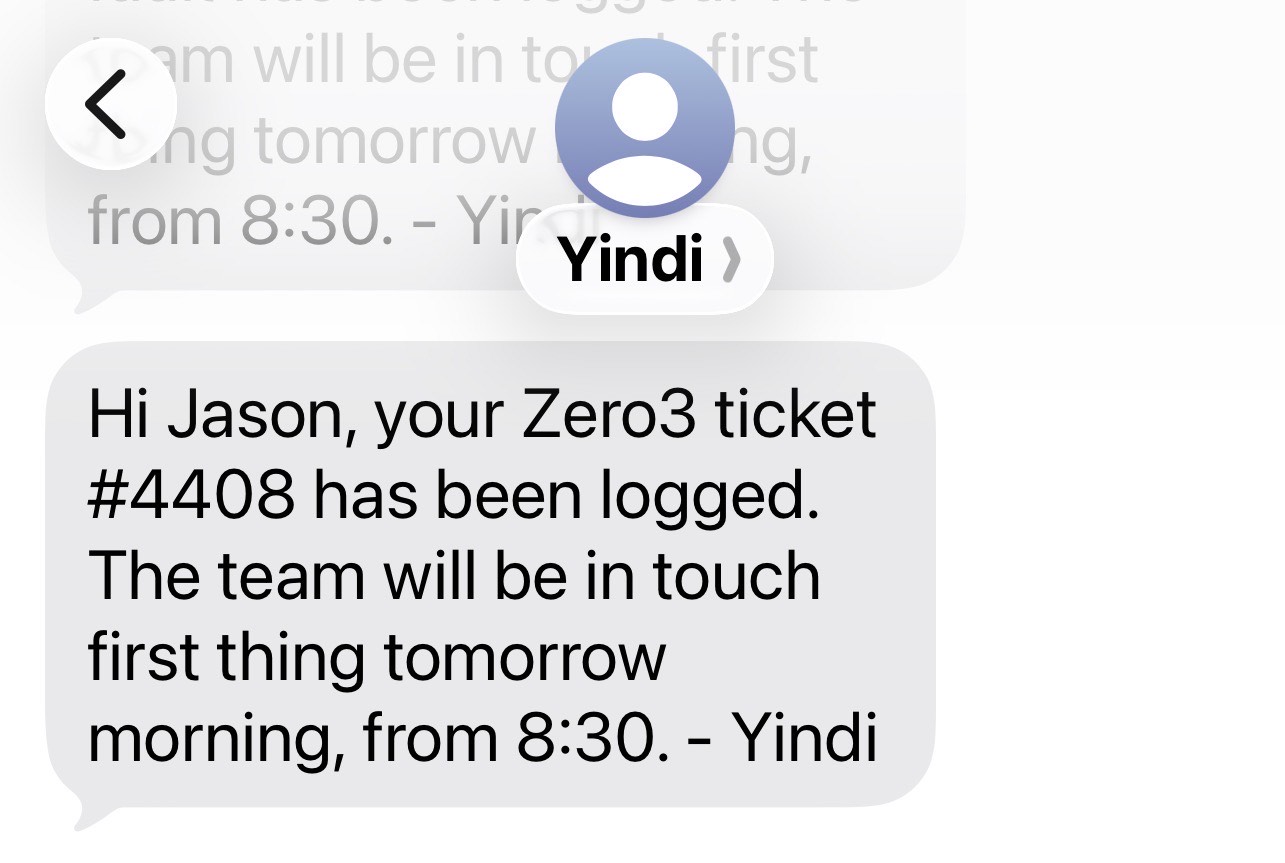
Right staff alerted; caller gets an SMS with their ticket number.
Proof — real tickets, real calls
This isn't a concept. It's logging our calls today.
Straight from our own CommTrak — a real fault ticket created by Yindi for Zero3 Communications, and the SMS the caller receives.
Made for CommTrak businesses.
IT & MSPs
Server-down and support calls become tickets in your queue, day or night.
Telco resellers
Service faults logged and routed — the way we run our own telco.
Security & fire
Urgent alarms and faults captured and escalated immediately.
AV & trades
Job enquiries and call-outs logged so nothing slips through.
Start after hours. Scale to 24/7.
Typically live within 1–2 weeks.
Yindi Starter
Evenings · Weekends · Public holidays
$299/mo
- 400 call minutes/month
- 100 SMS messages/month
- Automatic CommTrak ticket creation
- SMS confirmation to every caller
Yindi Growth
After hours + busy periods
$499/mo
- 800 call minutes/month
- 200 SMS messages/month
- Everything in Starter
- Daytime overflow handling
Yindi Pro
24/7 · Every call · Every ticket
$799/mo
- 1,200 call minutes/month
- 400 SMS messages/month
- Everything in Growth
- Redundancy backup + SLA support
Overflow: $0.70/min calls · $0.20/SMS beyond included · No lock-in contracts · 30-day money-back guarantee
Honest about the limits
Direct CRM ticketing is the standout; if you're on a CRM we don't yet support, we'll tell you honestly where that integration stands. Yindi handles routine and fault calls — it doesn't replace your engineers or your account managers. It's built to catch every call and log every job, so your team spends its time fixing things, not taking messages.
CommTrak questions
Does it actually integrate with CommTrak?+
What happens on urgent fault calls?+
Why switch from our current answering service?+
How quickly can we go live?+
What if we don't use CommTrak?+
What does it cost?+
See it log a call into CommTrak
Book a demo and we'll show Yindi answer a call and create the ticket in CommTrak — live.
Book a Free Demo